
FILTER function in Excel
Use the magic FILTER function in Excel 365/2021 to extract records that meet certain criteria. The FILTER function is quite versatile.
1. The simple FILTER function below has two arguments and extracts all USA records.

Note: this dynamic array function, entered into cell F2, fills multiple cells. Wow! This behavior in Excel 365/2021 is called spilling.
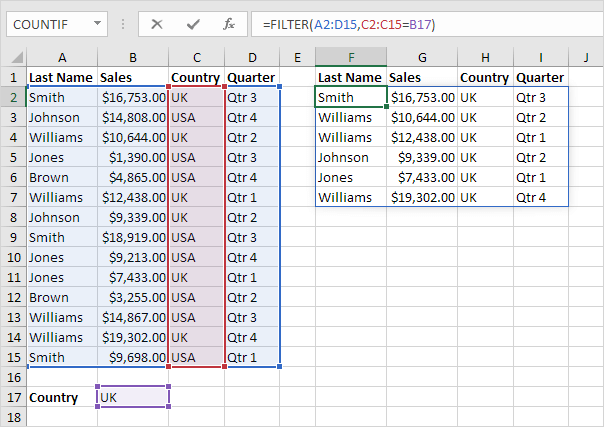
2. The dynamic FILTER function below extracts all UK records.
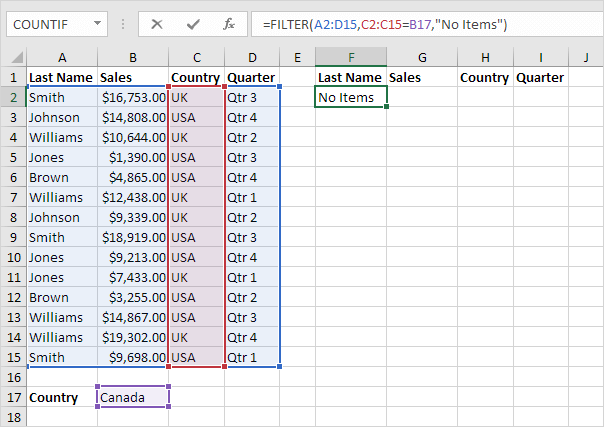
3. The FILTER function has an optional third argument. Use this argument to display a friendly message (instead of the #CALC! error) if no records are found.
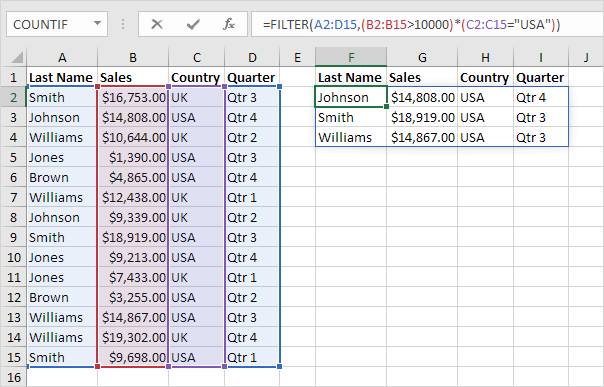
4. Let's kick it up a notch! The FILTER function below uses the multiplication operator (*) to extract all records where Sales is greater than $10,000 and Country equals "USA".
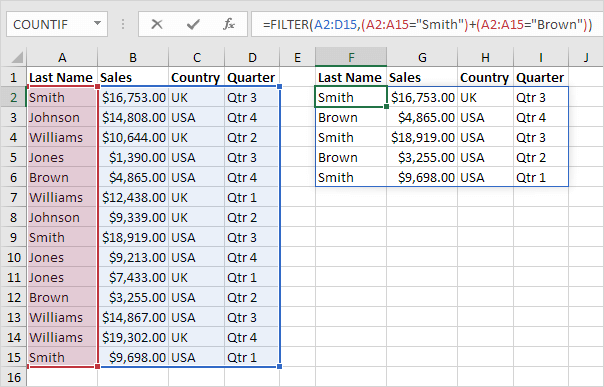
5. The FILTER function below uses the addition operator (+) to extract all records where Last Name equals "Smith" or Last Name equals "Brown".
6. Add the SORT function to sort the records by the first column.
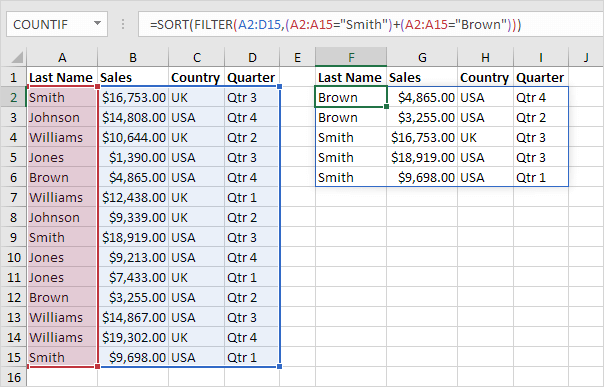
Note: by default, the SORT function in Excel 365/2021 sorts by the first column, in ascending order.


